
Table of Contents >> Show >> Hide
- What This Preference Really Means (And What It Doesn’t)
- Why Students Like Tech-Enabled Classes
- What “Digital Learning Technology” Looks Like in Real Classrooms
- The “core stack”: LMS, digital syllabus, and centralized content
- Interactive practice: low-stakes quizzes, polls, and formative checks
- Digital course materials and “inclusive access” models
- Collaboration tools that mimic modern teamwork
- Simulations, virtual labs, and interactive demonstrations
- Generative AI as a learning assistant (with guardrails)
- Reality Check: U.S. Students Are Already Learning Online (A Lot)
- Students’ Preference Comes With Fine Print
- How Colleges Can Build Tech-Enabled Classes Students Actually Prefer
- Quick Wins for Instructors (Even With Limited Time)
- What Students Can Do to Get More Value From Digital Learning Tech
- Experiences From the Digital Classroom (Extra )
- Experience #1: The commuter student who finally feels like class “fits”
- Experience #2: The large lecture course that stops being a one-way broadcast
- Experience #3: The “too many apps” semester that makes students hate technology
- Experience #4: The instructor who realizes tech doesn’t have to be perfect to be helpful
- Conclusion: Students Want Tech That Makes Learning BetterNot Just More Digital
Picture this: it’s week three of the semester. Your professor is wearing a headset mic like they’re about to headline Coachella,
the projector is making a noise that sounds like a tiny jet engine, and someone in the back is whispering, “Is the syllabus a PDF or a lifestyle?”
In the middle of all that chaos, one thing is surprisingly clear: a lot of college students actually want digital learning technology in their classes.
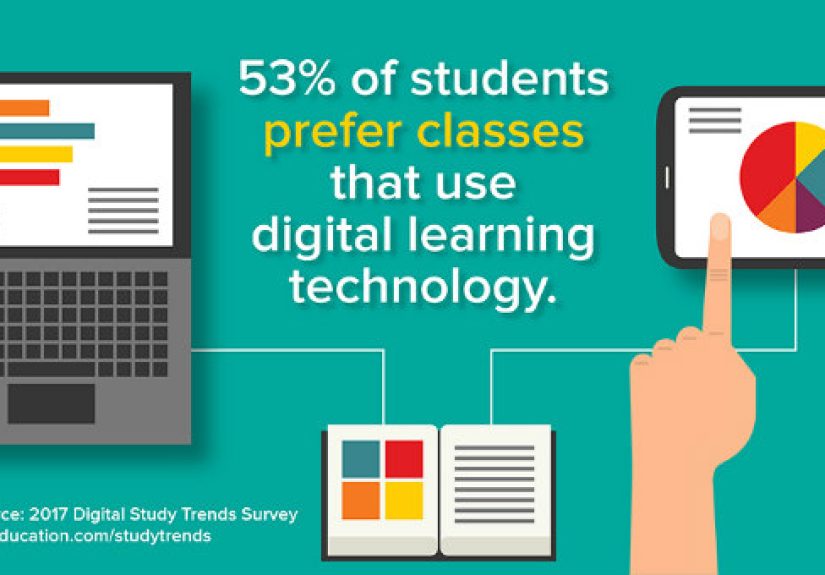
In fact, a widely cited U.S. survey found that more than half of college students prefer classes that use digital learning technology.
That headline isn’t just a “students love screens!” hot take. It’s a signal that the modern classroom is no longer a choice between
“traditional” and “online.” Students are increasingly looking for a third option: tech-enabled learning that makes courses clearer,
faster, more flexible, and (ideally) less painful than hunting down a missing handout at 11:57 p.m.
What This Preference Really Means (And What It Doesn’t)
Let’s translate the headline into human language. “Prefer classes that use digital learning technology” doesn’t automatically mean students want
fully online degrees or endless Zoom lectures. Often, it means they want a course that uses tech to do what tech does best:
streamline logistics, support practice, give feedback, and keep learning organized.
Think less “replace the professor with a slideshow” and more “use tools that make the professor’s teaching easier to follow.”
That might include a learning management system (LMS) that actually has the right due dates, low-stakes quizzes that help students
check understanding, lecture capture for review, collaborative documents for group work, or interactive homework platforms that don’t just mark answers wrong
but explain why.
In other words: students aren’t voting for robots. They’re voting for less friction.
Why Students Like Tech-Enabled Classes
1) Instant feedback beats “Wait… am I even studying the right thing?”
Students don’t love digital tools because they’re flashy. They love them because feedback is a learning superpower.
Practice quizzes, adaptive homework, and interactive activities can reveal what’s solid and what’s shaky before the high-stakes exam.
The best systems turn “wrong” into “here’s what you missed,” which is basically the academic version of GPS recalculating your route
instead of yelling, “You have failed at driving.”
2) Flexibility is not lazinessit’s logistics
Today’s students juggle work, commuting, caregiving, packed course loads, and the occasional attempt at sleeping.
Digital tools can provide flexibility in pace, time, and placeespecially when course materials and assignments are accessible outside class.
That flexibility matters most when it’s paired with clear expectations, consistent structure, and (please) a single place to find things.
3) “I paid for this class, so help me use it”
Students increasingly see themselves as consumers in a complicated marketplace. They’re comparing experiences across courses and institutions,
and technology is part of what shapes that experience. When technology helps them feel more prepared, more organized, and more supported,
they associate it with quality. When it’s broken, confusing, or expensive, they associate it with “Why am I paying tuition again?”
4) Career readiness is now part of the classroom deal
Students know the workplace is saturated with digital tools, AI-assisted workflows, and collaborative platforms.
Many want college to feel like training for real-world performancenot just a memory test.
When courses use technology for communication, project management, analysis, simulation, or content creation,
students can connect academic work to job skills without needing a translator.
What “Digital Learning Technology” Looks Like in Real Classrooms
Digital learning technology isn’t one toolit’s a whole ecosystem. Here are the categories that show up most in higher education,
along with why students tend to like (or dislike) them.
The “core stack”: LMS, digital syllabus, and centralized content
The LMS is the front door of many courses. When it’s used well, students can find assignments, grades, feedback, readings, rubrics,
announcements, and schedules without playing detective. When it’s used poorly, students end up with eight tabs open, three conflicting due dates,
and an email from a classmate that says, “Wait, is this due today???”
Interactive practice: low-stakes quizzes, polls, and formative checks
Polling tools, embedded quizzes, and short practice sets can turn passive lectures into active learning.
They also help instructors see what students are missing in real timeespecially in large classes where “Any questions?”
is usually answered by silence and panic.
Digital course materials and “inclusive access” models
Many students like digital materials for searchability, portability, and first-day access.
But students are also sensitive to cost and forced bundles.
Digital delivery can be a win when it lowers prices and improves access; it can be a lose when “digital” still means “surprisingly expensive.”
Collaboration tools that mimic modern teamwork
Shared docs, discussion boards, group annotation tools, and structured peer review can support collaborationwhen used intentionally.
Students typically want two things from collaboration tech:
(1) clarity on what “good participation” looks like, and (2) fewer group projects where one person does everything while the rest contribute vibes.
Simulations, virtual labs, and interactive demonstrations
For STEM and applied fields, simulations can provide practice environments that are safer, repeatable, and easier to schedule than physical labs.
They’re not always a full replacement for hands-on experiences, but they can expand access and help students rehearse key concepts before walking into a lab.
Generative AI as a learning assistant (with guardrails)
Students are already experimenting with generative AI for brainstorming, explaining concepts, drafting outlines, and creating study guides.
The opportunity for colleges is not pretending AI doesn’t exist; it’s teaching students how to use it ethically, critically, and effectively.
That means designing assignments that reward thinking, not copyingand explaining what acceptable use looks like.
Reality Check: U.S. Students Are Already Learning Online (A Lot)
Even if students prefer in-person experiences for certain activities, the data shows that distance education is deeply embedded in U.S. higher education.
In fall 2021, a majority of U.S. undergraduates took at least one distance education course, and a substantial share took courses exclusively online.
The “digital classroom” is not a nicheit’s part of the default landscape.
The post-pandemic era has also pushed colleges to expand online and hybrid options in response to ongoing demand.
That demand isn’t uniform across all studentsage, life circumstances, and program type matterbut flexibility has become a core expectation.
Students’ Preference Comes With Fine Print
Students like digital learning technologyuntil it becomes a barrier. The difference between “tech that helps” and “tech that hurts”
usually comes down to a few predictable factors.
1) Reliability: Wi-Fi is the oxygen of modern learning
If the campus internet is unstable, everything falls apart: quizzes crash, videos buffer, collaboration tools desync,
and students waste cognitive energy troubleshooting instead of learning.
Students’ satisfaction with campus technology is strongly linked to reliable internet and effective instructor use of tools.
2) Tool sprawl: too many platforms, too little patience
Students can handle complex ideas. What they shouldn’t have to handle is a scavenger hunt across five apps
just to submit one assignment. Tool overload creates confusion, missed deadlines, and the feeling that the course
is being held together by duct tape and hope.
3) Cost and transparency: “Digital” should not mean “mystery fees”
Students are more willing to embrace digital materials when costs are clearly explained, opt-out policies are fair,
and access is immediate. They’re much less enthusiastic when courseware feels like a paywall attached to the homework.
4) Privacy, surveillance, and proctoring anxiety
Some forms of remote proctoring and monitoring can increase stress and raise privacy concerns.
Even when the intent is academic integrity, the experience can feel invasive. Institutions that use these tools need
clear policies, transparency, alternatives when feasible, and a commitment to minimizing harm.
5) Accessibility: tech must work for everyone
Digital learning can expand accessbut only if platforms, content, and course design support students with disabilities,
diverse learning needs, and varying life circumstances. Accessibility is not a “nice extra.”
It’s fundamental to equity and student success.
How Colleges Can Build Tech-Enabled Classes Students Actually Prefer
Design for learning outcomes, not “cool tools”
The best edtech decisions start with: “What should students be able to do by the end of this unit?”
Then technology is chosen to support practice, feedback, collaboration, and clarity.
If a tool doesn’t make learning easier, deeper, or more engaging, it’s not innovationit’s just extra clicks.
Give students some choice when possible
Student satisfaction with hybrid learning rises when students have options in how they engage.
Choice doesn’t mean chaos. It can mean offering multiple ways to participate, multiple formats for review,
or predictable flexibility built into the course structure.
Keep the stack small and integrated
A tight, well-integrated toolkit beats a sprawling “app buffet.” Institutions should prioritize tools that
integrate with the LMS, support accessibility, and reduce logins and confusion.
Support faculty with time, training, and instructional design
Many faculty members prefer on-site teaching but still recognize the need for multiple modalities.
Good technology use is rarely just “learn the buttons.” It’s course design work, and that requires time and support.
Ask students, then actually act on it
Students want a say in campus technology investments. Institutions can formalize student input through advisory boards,
surveys, pilot programs, and feedback loops that show what changed as a result of student feedback.
“We value your input” lands a lot better when it’s followed by “and here’s what we fixed.”
Quick Wins for Instructors (Even With Limited Time)
- One home base: Put every link, due date, and instruction in one predictable place inside the LMS.
- Weekly rhythm: Use a consistent module structure (overview → readings → practice → assignment → check-in).
- Feedback loops: Add short, low-stakes quizzes or practice sets before major exams.
- Active moments: Use polls or short collaborative prompts every 10–15 minutes in lecture-heavy sessions.
- Accessibility defaults: Caption videos, use readable PDFs, and provide clear formatting in documents.
- Tech grace: Build a small buffer for tech failures (drops happen, Wi-Fi disappears, laptops revolt).
What Students Can Do to Get More Value From Digital Learning Tech
Turn “watching” into “learning”
If lectures are recorded, don’t binge them like a true-crime series the night before the exam.
Pause, take retrieval notes, and quiz yourself. A five-minute self-test often beats a 50-minute rewatch.
Use technology to practice, not just consume
Digital tools shine when they support practice: flashcards with spaced repetition, problem sets with feedback,
practice quizzes, and concept mapping. Passive scrolling feels productive, but active retrieval actually is.
Build a personal “tech backup plan”
Save syllabi offline. Download key readings. Know how to contact support. Keep a checklist for submission steps.
The goal is not paranoiait’s resilience.
Experiences From the Digital Classroom (Extra )
To make this topic feel real, here are common experiences that students (and instructors) frequently describe in surveys,
course evaluations, and campus conversations. These aren’t individual storiesthey’re patterns that show why students can prefer
tech-enabled classes while still craving human, in-person learning.
Experience #1: The commuter student who finally feels like class “fits”
A commuter student often measures a course in minutes and miles. When a class uses digital learning technology wellrecorded lectures,
structured LMS modules, clear announcements, and flexible office hoursthe student doesn’t feel punished for living off campus.
They can review material during gaps between work shifts, catch up after a long commute, and submit assignments without needing to
sprint across campus for a printer that’s “out of order” (again).
In these cases, tech isn’t about replacing the classroom. It’s about keeping the student connected to the course when life gets complicated.
The student still might prefer in-person labs or discussions, but they appreciate that digital access prevents “missing class” from becoming
“falling behind permanently.”
Experience #2: The large lecture course that stops being a one-way broadcast
In a 200-seat lecture hall, it’s easy to disappear. Students often describe a before-and-after effect when instructors use simple tools
like live polls, short quizzes, or interactive prompts. Suddenly, the lecture becomes a series of check-ins:
“Do you understand this?” “Try this example.” “Discuss for two minutes.” “Submit your reasoning.”
Students tend to report that this kind of technology makes them feel seeneven anonymouslybecause the instructor can adjust in real time.
The tech is doing something very human: creating interaction where the room size normally kills it.
Experience #3: The “too many apps” semester that makes students hate technology
Not all tech stories are happy. Students routinely complain when every class uses a different platform for the same task,
or when the LMS links out to third-party tools with confusing logins, inconsistent navigation, and surprise fees.
The result isn’t “modern learning.” It’s digital clutter.
In these moments, students don’t blame technology in the abstractthey blame the experience design.
They’ll still say they prefer classes that use digital tools, but they mean tools that reduce chaos, not multiply it.
Experience #4: The instructor who realizes tech doesn’t have to be perfect to be helpful
Instructors often describe a turning point: instead of trying to master every feature, they pick a few high-impact practices
consistent modules, quick feedback quizzes, clear rubrics, and a discussion space with real promptsand do those well.
Students respond because the course feels predictable and supportive.
The best part? This approach doesn’t require turning the professor into a full-time IT professional.
It just requires using technology with a purpose: clarity, practice, feedback, and connection.
Conclusion: Students Want Tech That Makes Learning BetterNot Just More Digital
The fact that more than half of college students prefer classes that use digital learning technology isn’t a fad.
It reflects a simple reality: higher education now happens in a world where students are constantly online, courses are increasingly flexible,
and learning is shaped by digital tools whether anyone planned it or not.
But students’ preference comes with a message. They’re not asking for more technology. They’re asking for better learning experiences:
reliable access, clear structure, useful feedback, reasonable costs, inclusive design, and instructors who use tools in ways that actually support understanding.
When colleges deliver that, technology stops being a “feature” and becomes what it should have been all along: an invisible helper that makes learning work.







 Close
Close