
Table of Contents >> Show >> Hide
Note: HTML body only, ready for web publishing.
For years, Apple users who also relied on a Windows PC lived in a mildly annoying digital sitcom. Your iPhone happily remembered your passwords. Safari acted like a loyal assistant. Then you sat down at a Windows machine and suddenly your carefully saved logins behaved like they had gone on vacation without leaving a forwarding address. That is why Apple’s move to add a password manager to iCloud for Windows mattered more than the headline first suggested. It was not just another tiny update buried in a changelog. It was Apple admitting that the real world is full of people who use an iPhone in one hand and a Windows laptop in the other.
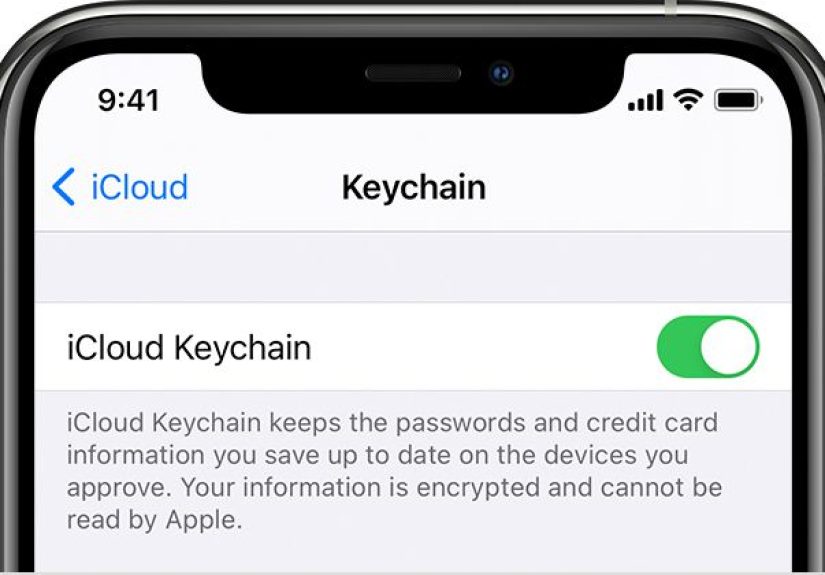
With this change, Apple turned iCloud for Windows into something far more practical. Instead of treating Windows users like distant cousins invited to the family reunion only for dessert, Apple gave them a real way to view, manage, and autofill passwords stored in iCloud Keychain. In plain English: the bridge between Apple devices and Windows finally got sturdier, and for anyone juggling multiple platforms, that was a big deal.
What Apple Actually Added
The update introduced a dedicated iCloud Passwords experience inside iCloud for Windows. That meant Windows users could do more than simply hope their credentials might show up somewhere useful. They could open a proper password manager on their PC, look up saved logins, add new ones, edit existing records, and remove outdated accounts that no longer deserved precious vault space. It was a meaningful shift from limited compatibility toward actual account management.
Apple also connected the feature to web browsers through extensions. At launch, that mattered most for Google Chrome and Microsoft Edge, because it allowed saved passwords from Apple’s ecosystem to autofill on a Windows machine. In practical terms, logging into a shopping site, email account, or streaming service no longer had to become a scavenger hunt across devices. A password saved on an iPhone could now be useful on a PC without forcing users to copy it manually like it was 2009.
The broader message was just as important as the feature list. Apple was no longer treating password syncing on Windows like a side quest. It was making a deliberate play to keep people inside the iCloud ecosystem even if their computer did not have an Apple logo on the lid. That is smart strategy. The more useful your password vault becomes across devices, the less tempting it is to leave for a third-party solution.
Why This Was a Bigger Deal Than It Sounds
Password managers are not glamorous. Nobody throws a parade because a login box autofilled correctly. But they are one of the most important layers of modern digital life. We all maintain too many accounts, too many subscriptions, too many shopping profiles, and far too many websites that demand a password with one uppercase letter, one symbol, one number, one moon rock, and the blood type of your first pet hamster. A good password manager reduces that chaos.
Before Apple expanded password support on Windows, mixed-device users often had to choose between convenience and loyalty. Stay fully committed to Apple, and your Windows workflow felt clunky. Switch to a third-party password manager, and you gained flexibility but moved a sensitive piece of your digital life outside Apple’s built-in system. By adding a real Windows password manager to iCloud, Apple made its own offering far more competitive for everyday users who wanted a simpler, more unified setup.
This update also made sense culturally. The modern tech household is rarely pure. Someone may use an iPhone, a Windows gaming PC, an iPad, and a work-issued Dell laptop in the same week. Families mix platforms. Offices mix platforms. Freelancers definitely mix platforms because clients can be gloriously unpredictable. Apple’s decision recognized that cross-platform convenience is not a niche request. It is normal life.
How iCloud Passwords Works on Windows
A dedicated desktop app, not just a browser trick
One of the best parts of the change was that Apple did not stop at a browser extension and call it a day. The company gave Windows users a dedicated place to manage credentials. That meant people could search for logins, review stored account details, update usernames or passwords, and keep their vault in better shape over time. A password manager that only autofills is helpful. A password manager that also lets you organize the mess is much better.
Browser autofill where it actually matters
Of course, convenience is the whole point. The browser extensions made iCloud Passwords useful in everyday browsing, not just in theory. Once enabled, the system could fill stored passwords on supported browsers and save new credentials back to the user’s iCloud Keychain. That created the kind of loop users expect from modern password managers: save once, use everywhere, complain less.
Setup still felt Apple-ish
The setup flow leaned on Apple’s existing security model. Users had to enable the feature through iCloud for Windows, verify access, and then install the matching browser extension. Apple also made an interesting tradeoff: when the iCloud Passwords extension was active, the browser’s native password-saving feature was disabled. That might sound annoying at first, but it also prevented the awkward digital tug-of-war where two password managers both try to help and end up being equally confusing.
In more recent documentation, Apple’s Windows support pages show that the experience has continued to mature. The company now describes password access through a dedicated app, browser extensions for Chrome, Edge, and Firefox, and management tools that can include notes, verification codes, and strong password generation. That evolution makes the original rollout look less like a one-off convenience feature and more like an early milestone in Apple’s broader push to treat saved credentials as a first-class product.
What Apple Got Right
The biggest win was simplicity. If you already lived in Apple’s ecosystem, you did not have to build an entirely new password routine just because you used Windows. Your saved credentials could travel with you. That lowered friction, and friction is usually what causes bad security habits in the first place. When password management becomes a headache, people reuse passwords, rely on memory, or keep them in places that would make any security expert dramatically remove their glasses.
Apple also made the feature feel familiar. It was tied into iCloud, connected to Apple’s existing authentication flow, and designed to keep passwords synced across devices. For users who trusted Apple and already used iCloud Keychain on an iPhone or iPad, that continuity mattered. The company was not asking them to learn a completely different philosophy. It was extending an existing one.
Security messaging also helped. Coverage of the rollout emphasized that passwords on Windows were stored in an encrypted database and passed to the browser extension through an encrypted channel. For users nervous about moving sensitive logins onto a Windows machine, that reassurance was important. No password manager is a magic shield against every threat, but sane security architecture beats sticky notes under the keyboard by several geological eras.
Where the Feature Still Fell Short
Apple’s Windows password manager was useful, but it was not trying to out-muscle every dedicated password service on earth. Early reactions often described it as straightforward, even minimal. That was not necessarily an insult. In many ways, Apple was focusing on the basics: password storage, syncing, editing, and autofill. For plenty of users, that was enough. But power users who wanted advanced sharing, richer organization, deeper auditing tools, or extensive business features could still find third-party managers more capable.
That is the tradeoff with many Apple utilities. They tend to work best when you are already inside the company’s universe and mostly want the path of least resistance. If your goal is elegant cross-device continuity between Apple hardware and a Windows PC, iCloud Passwords makes sense. If your goal is to build a platform-agnostic security command center for every operating system, every browser, and every team member you have ever met, you may still prefer something more specialized.
Even so, it is important not to dismiss the feature because it was simple. A streamlined password manager that users actually adopt is often more valuable than a powerful one they never finish setting up. Security tools do not win points for being impressive in theory. They win when ordinary people use them correctly on a random Tuesday while half-asleep and trying to log into three accounts before coffee.
Why It Mattered for the Future of Apple Passwords
Looking back, the Windows rollout feels like an early clue about where Apple wanted to go next. The company gradually gave passwords more visibility, more polish, and more independence from Safari alone. That direction eventually made broader sense as Apple expanded its credential tools and treated password management as something users should access directly, not merely stumble into through browser settings. In hindsight, adding iCloud Passwords to Windows was both practical and symbolic. It solved an immediate problem while hinting at a more serious long-term commitment.
And that long-term commitment matters because password management is no longer optional digital housekeeping. It sits at the center of privacy, account recovery, two-factor authentication, and increasingly passkey-based sign-ins. Once a company earns a place in that layer of your life, switching becomes much harder. Apple knew exactly what it was doing here. This was convenience, yes. It was also ecosystem strategy with a very tidy haircut.
Real-World Experiences With Apple’s Password Manager on Windows
In real-world use, the experience of Apple adding a password manager to iCloud for Windows tends to be most appreciated by people who were already halfway committed to Apple and halfway stuck in Windows. That group is larger than tech companies sometimes admit. Think of the person with an iPhone, AirPods, maybe an iPad, but a Windows work laptop because corporate IT believes joy builds character. For that user, iCloud Passwords on Windows feels less like a luxury and more like overdue plumbing. It removes the daily annoyance of grabbing a phone just to check a login that should already be available on the computer in front of you.
One common experience is relief. Not dramatic movie-trailer relief, but the quiet satisfaction of seeing a password autofill where it previously did not. The first time a synced login appears properly on a Windows browser, the reaction is usually something like, “Oh, finally.” That is the sort of feature win product teams dream about. It does not need fireworks. It just needs to stop wasting people’s time.
Another common experience is discovering that the feature works best when users fully commit to it. Because Apple disables the browser’s built-in password saving when the extension is enabled, the workflow becomes cleaner once you accept that iCloud Passwords is now the boss. People who try to mix multiple password-saving systems often create chaos for themselves. They save one login in the browser, another in iCloud, a third in muscle memory, and a fourth in a note that probably should be shredded. When users let one system take charge, the experience usually improves fast.
There is also a practical family angle. In households where one person prefers Apple devices and another relies on Windows, iCloud Passwords can reduce the usual “What was the Netflix password again?” conversations by at least several episodes per month. Shared accounts become easier to manage when the primary user is not trapped in a single operating system. It is not exactly romantic, but fewer password arguments may be the most underrated form of domestic harmony in modern computing.
That said, the experience is not universally magical. Users coming from feature-rich third-party password managers may find Apple’s approach a little too plain. The interface has historically been more functional than flashy, and Apple’s focus has been on syncing and straightforward management rather than turning the app into a Swiss Army knife with seventeen blades and a flashlight. For some people, that is perfect. For others, it feels like ordering a deluxe burger and getting a very competent sandwich instead. Nothing is wrong with it, but you notice the difference.
Still, the strongest day-to-day experiences tend to come from consistency. A password saved on an iPhone can show up on a Windows browser. A changed login can sync back across devices. A user who updates credentials on a PC does not have to repeat the same work on an iPad later. Those are small moments, but digital life is mostly made of small moments. Reduce enough of them, and the whole system starts to feel smarter.
For students, remote workers, freelancers, and mixed-platform households, that consistency can quietly improve both productivity and security. Fewer copied passwords means fewer mistakes. Fewer reset emails means fewer interruptions. Fewer moments of “Wait, which device has the right login?” means less friction overall. Apple did not reinvent password management on Windows, but it did remove a surprisingly stubborn pain point. Sometimes that is more valuable than launching a giant, over-engineered feature that looks impressive in a keynote and then spends the rest of its life being ignored.
Conclusion
Apple Adds Password Manager to iCloud for Windows may sound like a modest update, but for users living in both Apple and Windows worlds, it was a meaningful quality-of-life upgrade. It gave iCloud Keychain a real foothold on PCs, made browser autofill practical, and reduced the friction of managing passwords across different devices. Just as importantly, it showed Apple understood that loyalty to its ecosystem does not always mean exclusivity.
No, the feature did not instantly erase every reason to use a dedicated third-party password manager. But it did make Apple’s built-in option far more credible for millions of users. And in the world of passwords, credibility matters. People do not need a vault that feels flashy. They need one that feels dependable, secure, and easy enough to use that they actually stick with it. Apple’s move on Windows pushed iCloud closer to that goal, and that is why the update still matters.







 Close
Close