
Table of Contents >> Show >> Hide
Have you ever accidentally deleted your browser history and wished you could get it back? Whether it’s because of a technical glitch, a manual deletion, or a need to retrieve something important, there are several ways to recover deleted browser history. In this guide, we’ll walk you through five effective methods for recovering deleted browser history, including some advanced techniques that you might not have considered before. So, let’s dive in and reclaim your lost browsing information!
1. Check Your Browser’s History Cache
When you visit websites, your browser stores certain data in a cache. If you accidentally delete your browser history, you might still be able to retrieve some of it by checking your browser’s history cache. The cache stores portions of web pages to speed up browsing, and sometimes, you can find the URLs or page data that was recently accessed.
How to Access Browser Cache:
– On Google Chrome, you can access cached pages by entering chrome://cache in the browser’s address bar.
– For Firefox, type about:cache into the address bar and find the cached data.
– On Safari, you can go to the Safari menu > Preferences > Advanced and check the option to show the Develop menu. From there, select “Show Web Inspector” to explore cache contents.
While the cache isn’t a foolproof solution, it can serve as a lifesaver in some situations. It won’t retrieve everything, but it might recover part of your history, especially if you need to revisit a recently browsed page.
2. Use Google’s Web History
If you have a Google account and have been logged into it while browsing, your activity might have been synced with Google Web History. This means that even if you’ve deleted your browser history, Google has a record of your web activity. You can access this history through Google’s Web History page.
How to Access Google Web History:
1. Visit Google My Activity and sign in to your Google account.
2. In the left menu, click “Web & App Activity” to see your browsing history linked to your Google account.
3. Here, you can filter the results by date and browse through your past activity.
Google Web History is an excellent way to retrieve deleted browsing history, especially if you’re using Chrome and syncing data across devices.
3. Restore from System Backups
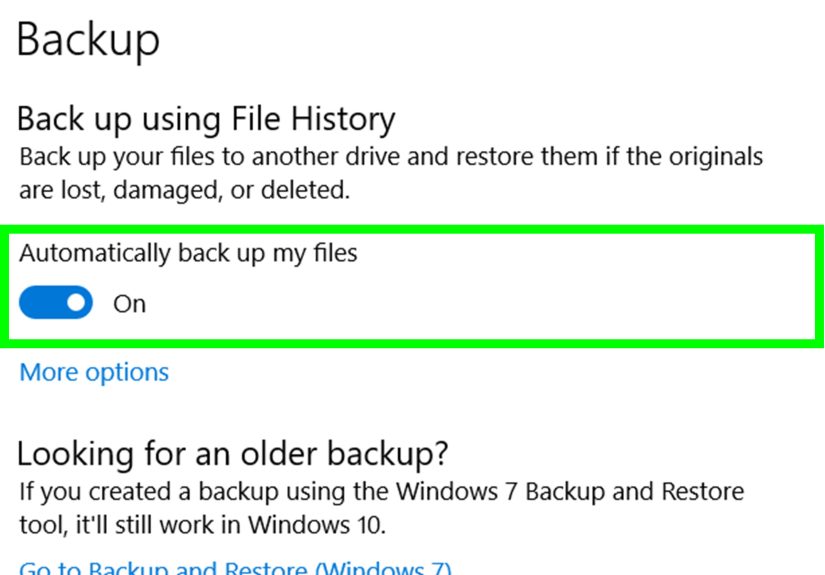
If you regularly back up your computer, you may be able to recover your deleted browser history by restoring from a system backup. This method depends on your operating system and whether your backup includes browser data.
How to Restore from Backups:
– On Windows, you can use File History (if enabled) to recover files from a previous point in time.
– On Mac, Time Machine allows you to recover deleted data from your computer. Both options will depend on your settings and whether your browser data was included in the backup.
This method can restore your entire browser’s history folder if it was included in the backup, but it does have limitations depending on your backup frequency.
4. Check Your Router’s Logs
If you’re trying to retrieve history from a shared device or network, one trick is to check your router’s logs. Many routers log all websites visited on your network. You may be able to find the URLs of sites visited through the router’s admin page.
How to Access Router Logs:
1. Log into your router’s admin page (usually accessible via an IP address like 192.168.0.1 or 192.168.1.1).
2. Once logged in, look for the “Logs” or “History” section of the page.
3. If your router tracks browsing history, you’ll be able to see which websites were visited and when.
Although router logs won’t give you the exact browser history, they can help you pinpoint the URLs of websites visited during a specific time frame.
5. Use Data Recovery Software
If none of the previous methods work for you, there’s still a last-ditch option: using data recovery software. These programs can scan your computer for deleted files that haven’t been fully overwritten and may be able to recover your browser history.
Popular Data Recovery Tools:
– Recuva: A free and easy-to-use tool that can recover files that have been deleted from your hard drive.
– Disk Drill: Known for its powerful recovery features, it supports multiple file types and can scan for deleted history files.
Simply download one of these programs, run a scan on the disk where your browser history was stored, and follow the prompts to recover any deleted data. Be sure to act fast, as the more time that passes, the higher the chance that the data will be overwritten by new files.
Experiences with Recovering Deleted Browser History
Recovering deleted browser history isn’t always a straightforward process, but many users have found success using the methods listed above. For example, one user had accidentally deleted their entire browser history while troubleshooting a browser issue. After attempting several common recovery methods, they found that Google’s Web History provided the most reliable results, especially since they had been logged into their Google account at the time of browsing. This was a lifesaver because they could retrieve important pages they had visited, even though the history had been deleted from their browser.
Another user, working in IT, had to recover browser history as part of an investigation into a data breach. By accessing their router logs, they were able to piece together the browsing activity on their network. This experience highlighted the importance of using router logs in professional environments, where tracking user activity is sometimes essential for security and compliance purposes.
For those who have made backups of their system regularly, recovering deleted history from a system backup proved to be the easiest and most effective option. Many users noted that it was also the safest approach, as it didn’t require third-party software and ensured no additional risk to their data integrity.
While data recovery software can be helpful, some users reported mixed results, particularly with more advanced or encrypted browsers. The recovery process often requires deep scanning of the entire drive, and depending on the specific circumstances, the results can vary significantly.
In conclusion, there are many ways to recover deleted browser history. Depending on the situation, one method may be more suitable than another. For casual users, checking Google Web History or using the cache may suffice, while others may need to use more advanced tools like data recovery software or router logs. Regardless of the method, it’s always a good idea to back up your important browsing data regularly to avoid future loss.
Conclusion
Whether you’re trying to recover deleted history from a personal device or need to track down web activity from a shared network, there are multiple options available. By leveraging tools such as your browser cache, Google Web History, system backups, router logs, and data recovery software, you can increase your chances of successfully retrieving deleted history. Just remember to act quickly to avoid overwriting data, and always back up your browser history for future peace of mind.





 Close
Close