
Table of Contents >> Show >> Hide
- What Playful Learning Actually Means (Hint: It’s Not Just Recess)
- Reframe Tech: From “Screen” to “Studio”
- Guardrails That Matter: Healthy Media Habits Without Becoming the Fun Police
- How Playful Tech Looks Across Ages
- Pick Tools That Have “Low Floor, High Ceiling, Wide Walls”
- 10 Playful, Creative Tech Ideas You Can Use This Week
- 1) The “One-Minute Invention” Video
- 2) Stop-Motion Science
- 3) Code a Story Ending
- 4) Primary Source Remix
- 5) Maker Challenges With Emerging Tech
- 6) Soundtrack the Theme
- 7) “Explain It Like I’m Five” Screen Recording
- 8) Digital Citizenship in Real Scenarios
- 9) The Collaborative Class Arcade
- 10) The “Museum of Mistakes” Gallery
- Make It Equitable: Creativity Shouldn’t Require Fancy Gear
- Assessing Playful Tech Without Killing the Mood
- Conclusion: Make Tech a Paintbrush
- Experiences Related to Using Tech Creatively Through Playful Learning
If you’ve ever watched a kid turn a cardboard box into a spaceship, you already understand the entire philosophy of playful learning. Now imagine handing that same kid a “spaceship builder kit” that only allows three buttons: Start, Pause, and Watch Ads. Congratulationsyou’ve just invented the fastest way to drain curiosity out of a room.
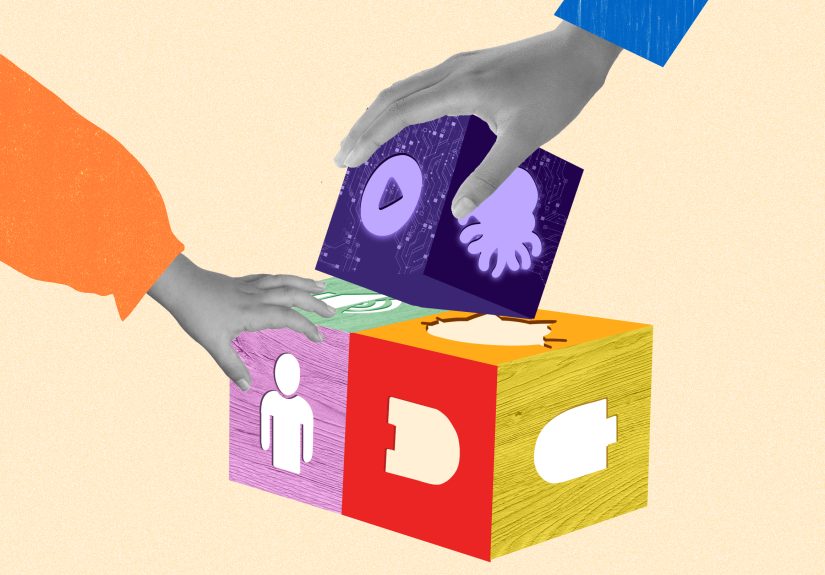
The goal of using tech creatively through playful learning isn’t “more screen time.” It’s better screen timewhere technology becomes a material for making, like paint, LEGO bricks, or a pile of recyclables that mysteriously becomes a working catapult. When tech shifts from consumption to creation, students stop asking “What level is next?” and start asking “What if I change this?” That “what if” is where real learning lives.
What Playful Learning Actually Means (Hint: It’s Not Just Recess)
Playful learning is learning that feels like playbecause it carries the ingredients that make play powerful: agency, curiosity, experimentation, social connection, and joyful risk-taking. It can be free and child-led, or it can be guided by an educator with clear learning goals. Either way, the engine is the same: learners are actively building meaning, not passively receiving information.
Technology fits beautifully into playful learning when it supports exploration and invention instead of locking students into scripted pathways. Think of the difference between a workbook page and a blank notebook. One says “Fill in the correct answer.” The other says “Show me what you can imagine.” Great creative tech tools feel more like the blank notebook.
Reframe Tech: From “Screen” to “Studio”
The easiest way to evaluate educational technology is to ask one question: Does this tool turn learners into creators? If students can make something meaningfulan animation, a story, a prototype, a data visualization, a soundtrack, a gamethen tech becomes a studio, not a screen.
The Creative Learning Loop: Make, Tinker, Share, Improve
Creative work is rarely linear. Students imagine something, build a rough version, play with it, show it to someone, get feedback, and revise. That loop is not “extra.” It’s the learning. When classrooms normalize iteration, students stop treating mistakes like disasters and start treating them like draftswhich is a much healthier hobby than perfectionism.
The “4 Ps” That Keep Tech Playful
Creative learning thrives when learners work on Projects they care about, fueled by Passion, supported by Peers, and powered by Play. The point isn’t to remove structure; it’s to design experiences where students have real choices and room to experiment. If a digital tool makes it hard for students to personalize or remix, it’s probably not a creativity toolit’s a digital worksheet in a fancy hat.
Guardrails That Matter: Healthy Media Habits Without Becoming the Fun Police
“Creative tech” doesn’t mean “unlimited tech.” Strong playful learning environments protect what screens can accidentally crowd out: sleep, outdoor movement, face-to-face conversation, boredom (yes, boredomnature’s idea generator), and unstructured play.
A Simple Framework: The 5 C’s
A practical way to make tech healthier is to consider five factors: the Child (development and needs), the Content (quality and purpose), Calm (is media used for self-soothing or avoiding feelings?), Crowding out (what’s being displaced), and Communication (ongoing conversations about what kids do and see online).
Co-Use Beats Solo Use
Tech is more powerful (and safer) when it’s social: students collaborating on a shared project, families co-creating a story, classmates testing each other’s games. When adults and peers participate, media becomes a relationship-builder instead of a babysitter.
How Playful Tech Looks Across Ages
Early Childhood: Digital Tools as Story Props
For young learners, the best tech is concrete and expressive. Students can record a voiceover for a puppet story, take photos of block structures, or create a simple animation that shows a character “walking” across a paper background. The learning target might be language development, sequencing, or social-emotional skillsbut the method is playful: children create and narrate.
- Try: photo scavenger hunts for shapes/colors; “tell the story of your drawing” audio recordings; simple coding apps that support storytelling.
- Watch for: passive video loops and hyper-stimulating apps that reward tapping more than thinking.
Elementary: From Consumers to Makers
This is prime time for “I made this!” energy. Students can design a mini-game to practice math facts, create a stop-motion video about the water cycle, build a digital museum exhibit using primary sources, or remix music to match the mood of a character in a book. The key is authentic output: something that can be shared, explained, and improved.
Middle School: Design Challenges + Identity
Middle schoolers are already creatingmemes, videos, edits, playlistsso playful learning meets them where they are and raises the bar: “Can you communicate an idea clearly? Can you design for an audience? Can you build something that solves a real problem?” Tech becomes a medium for identity and agency, not just entertainment.
- Try: game design for social impact, interactive fiction, podcasting, digital comics, or maker challenges tied to science phenomena.
- Build in: peer critique routines (“Two glows and a grow”) so feedback feels safe and useful.
High School: Real Tools, Real Audiences
Playfulness doesn’t disappear in high school; it evolves. Older students can prototype apps, build data stories, create augmented-reality tours, design assistive devices, or develop interactive art installations. The playful element is still experimentationjust with higher stakes and more skill.
Pick Tools That Have “Low Floor, High Ceiling, Wide Walls”
Creative tools work for beginners (low floor), allow sophisticated growth (high ceiling), and support many kinds of projects (wide walls). This is why open-ended platformscoding environments, multimedia editors, digital drawing tools, sound creation appstend to outperform “drill-and-kill” learning apps when the goal is creativity.
A Quick Litmus Test
- If the tool’s main activity is tapping “next,” it’s probably consumption dressed as learning.
- If the tool asks learners to make choices, remix, debug, and explain, you’re in creative territory.
- If students can export or present their work, you’ve unlocked reflection and audiencetwo creativity multipliers.
10 Playful, Creative Tech Ideas You Can Use This Week
1) The “One-Minute Invention” Video
Students build an invention from classroom materials, then record a one-minute demo explaining the problem it solves. Bonus points for hilarious commercials.
2) Stop-Motion Science
Learners animate plate tectonics, plant growth, or weather systems using paper cutouts and a phone/tablet camera. The storyboard is the assessment.
3) Code a Story Ending
After reading a story, students code an alternate ending as an interactive scene or short game. They must justify changes with textual evidence.
4) Primary Source Remix
Students examine a historic photo or letter, then create a modern-day “response” as a podcast clip, short film, or digital exhibit label. This combines inquiry, empathy, and media literacy.
5) Maker Challenges With Emerging Tech
Set up monthly design prompts“build a device that moves without wheels,” “make a museum-quality interactive display,” “design a solution for water waste.” Use simple materials first; add digital tools as students iterate.
6) Soundtrack the Theme
Students create a short audio track that represents a theme (resilience, migration, transformation) and explain their musical choices. This is especially great for students who think in vibes before words.
7) “Explain It Like I’m Five” Screen Recording
Students record a quick tutorial teaching a concept with visuals. The rules: no jargon, one metaphor, and at least one drawing that looks slightly ridiculous. (The ridiculous drawing is non-negotiable. It’s for science.)
8) Digital Citizenship in Real Scenarios
Instead of abstract lectures, use scenarios: “Someone reposted your art without creditwhat now?” or “A friend shared a screenshot from a private chat.” Students role-play responses and build norms for respectful online behavior.
9) The Collaborative Class Arcade
Groups design simple games (digital or physical), then run an “arcade day” where classmates play-test and leave feedback notes. Reflection prompts turn fun into learning: “What did players misunderstand? What will you change?”
10) The “Museum of Mistakes” Gallery
Students share drafts, bugs, and failed prototypesplus what they learned. This normalizes iteration and builds a classroom culture where trying is valued.
Make It Equitable: Creativity Shouldn’t Require Fancy Gear
The best playful learning designs don’t depend on expensive devices. A single classroom tablet can power audio storytelling stations. Shared laptops can support collaborative coding. Libraries, community centers, and school maker carts can extend access. The equity move is not “buy the newest thing”; it’s “design experiences where every student can contribute meaningfully.”
Practical Equity Moves
- Design for teams: assign roles (designer, tester, narrator, documentarian) so everyone participates.
- Offer offline pathways: paper storyboards, physical prototypes, analog firstdigital second.
- Prioritize accessibility: captions, voice input, flexible pacing, multiple ways to show understanding.
Assessing Playful Tech Without Killing the Mood
Creativity is hard to measure with a single scoreand that’s okay. Assess the learning through documentation: drafts, reflections, design notes, peer feedback, and final products. When students can explain their choices and describe how they improved, you’re assessing thinking, not just polish.
What to Look For
- Process: planning, experimenting, revising, seeking feedback.
- Transfer: applying ideas across contexts (“I used the same loop concept in math and music”).
- Communication: explaining how the project works and why choices were made.
- Collaboration: listening, building on peers’ ideas, negotiating decisions.
Conclusion: Make Tech a Paintbrush
Using technology creatively through playful learning is ultimately about dignity: trusting learners to be makers, not just users. When students create projects they care about, collaborate with peers, and iterate without fear, technology becomes a doorway to deeper learning. The best classrooms don’t ask, “How do we keep kids on task with tech?” They ask, “What could kids build if we gave them the right toolsand the right trust?”
Experiences Related to Using Tech Creatively Through Playful Learning
In real classrooms and homes, playful tech rarely arrives as a perfectly scheduled “Innovation Block” with soothing music and angelic children quietly collaborating. It usually starts messierlike a teacher noticing that students are already obsessed with making tiny videos, or a parent realizing their child can narrate elaborate stories but freezes when asked to “write a paragraph.” The magic happens when adults lean into those natural impulses and redirect them toward making, reflecting, and sharing.
One common experience educators describe is the moment students stop treating a device like a vending machine for entertainment and start treating it like a toolkit. For example, a class might begin with a simple stop-motion challenge: “Animate a molecule moving from solid to liquid.” The first attempts are chaotichands in the frame, characters teleporting, props falling over. But then something shifts. Students start planning scenes, negotiating roles, and arguing (politely… sometimes) about which visual best represents evaporation. The learning becomes visible: not because students took a quiz, but because they made a model and refined it until it communicated clearly.
Families often experience the same shift when they swap “watch time” for “make time” in small ways. A parent might invite a child to record a two-minute audio story about their favorite stuffed animalcomplete with dramatic sound effects and an unnecessarily intense villain voice. The child re-records lines, changes the plot, and asks a sibling to be a co-star. That’s literacy practice, yes, but it’s also confidence-building: the child has an audience, a purpose, and ownership. The tech doesn’t replace play; it amplifies it.
Makerspaceswhether in schools, libraries, or community centerstend to produce another familiar experience: the joy of “productive struggle.” A group tries to build a simple interactive exhibit, only to discover that the button doesn’t work, the cardboard collapses, and the wiring looks like a bowl of spaghetti had a bad day. With the right coaching, frustration becomes persistence. Students begin troubleshooting aloud, testing hypotheses, and documenting what fails so they can fix it. When they finally get the prototype working, the pride is unmistakablebecause the success belongs to them, not the app.
Across these settings, the most consistent experience is that playful creativity changes classroom culture. Students who don’t always shine in traditional assignments suddenly become leaders when the task involves designing, narrating, building, or debugging. Quiet students contribute through art direction. Restless students channel energy into hands-on prototyping. Social students manage the “client interview” when projects serve a real audience. The work is still rigorousoften more rigorous than worksheetsbecause it demands decision-making, communication, and iteration. But it feels different. It feels alive.
And maybe that’s the point: playful learning with technology isn’t about making school easier. It’s about making learning irresistibleso students keep exploring long after the assignment ends.





 Close
Close